Factor of Safety Contours
UDEC uses a factor of safety calculation for stability analyses based upon the “strength reduction method”. A “factor of safety” index can be defined for any relevant problem parameter by taking the ratio of the calculated parameter value under given conditions to the critical value of the parameter, at which the onset of an unacceptable outcome manifests itself. Typically, application of the strength reduction method produces one single factor of safety per simulation, corresponding to one global minimum stability state. However, the ability to calculate multiple minimum states may be of interest, for example, to generate a safety map for a complex slope profile such as a benched cut or a slope with a berm (see following figure). The explicit dynamic solution method employed in UDEC allows multiple local stability surfaces to be identified in one simulation.
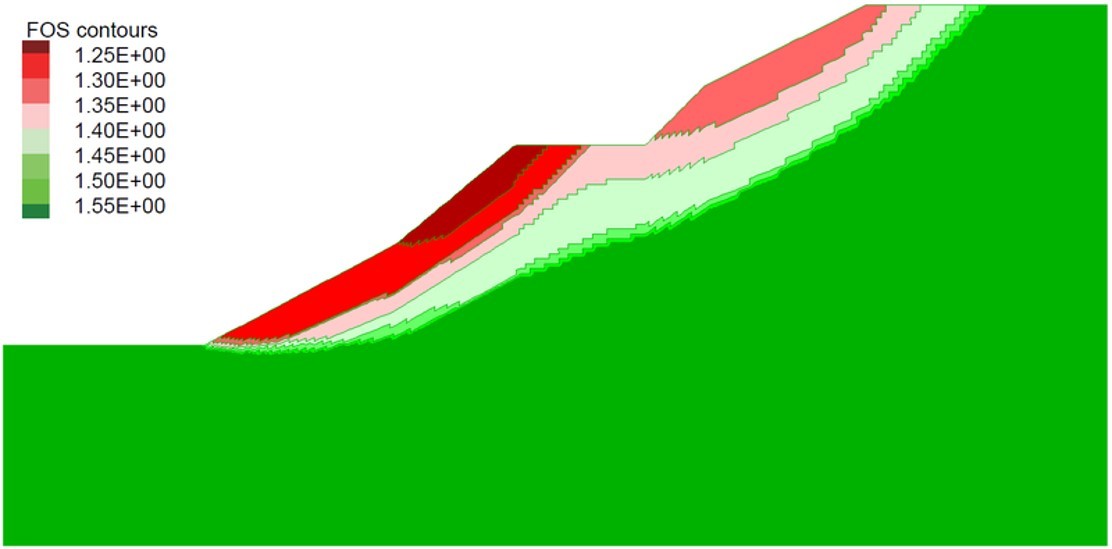
With factor of safety contouring, material strengths are reduced in increments by a strength reduction factor. Unstable states for the model are identified at the global minimum state and then beyond that state. Unstable states of the model are identified at each stage as an assembly of gridpoints with velocities above a specified average value. The current strength reduction factor is assigned to unstable gridpoints for later contouring. If the strength is reduced in small intervals, progressively more regions of gridpoints can be identified as unstable. By monitoring the velocities, it is possible to delineate the regions of unstable gridpoints by different strength factors and produce a plot of factor of safety contours.
Better Model Querying
When a View pane (plot) is active, the toolbar includes a group of buttons to set the current mouse mode to one of four states: Select, Query, Center, and Distance. When the Query mode is selected, as highlighted in the image below, you can use the mouse cursor to inspect your model. Clicking on a location in the model will provide a list of one or more objects that can be queried (e.g., block, zone, gridpoint). Selecting an object from the menu will open a dialog that contains model information pertinent to it as shown; data can be copied to the clipboard or logged.
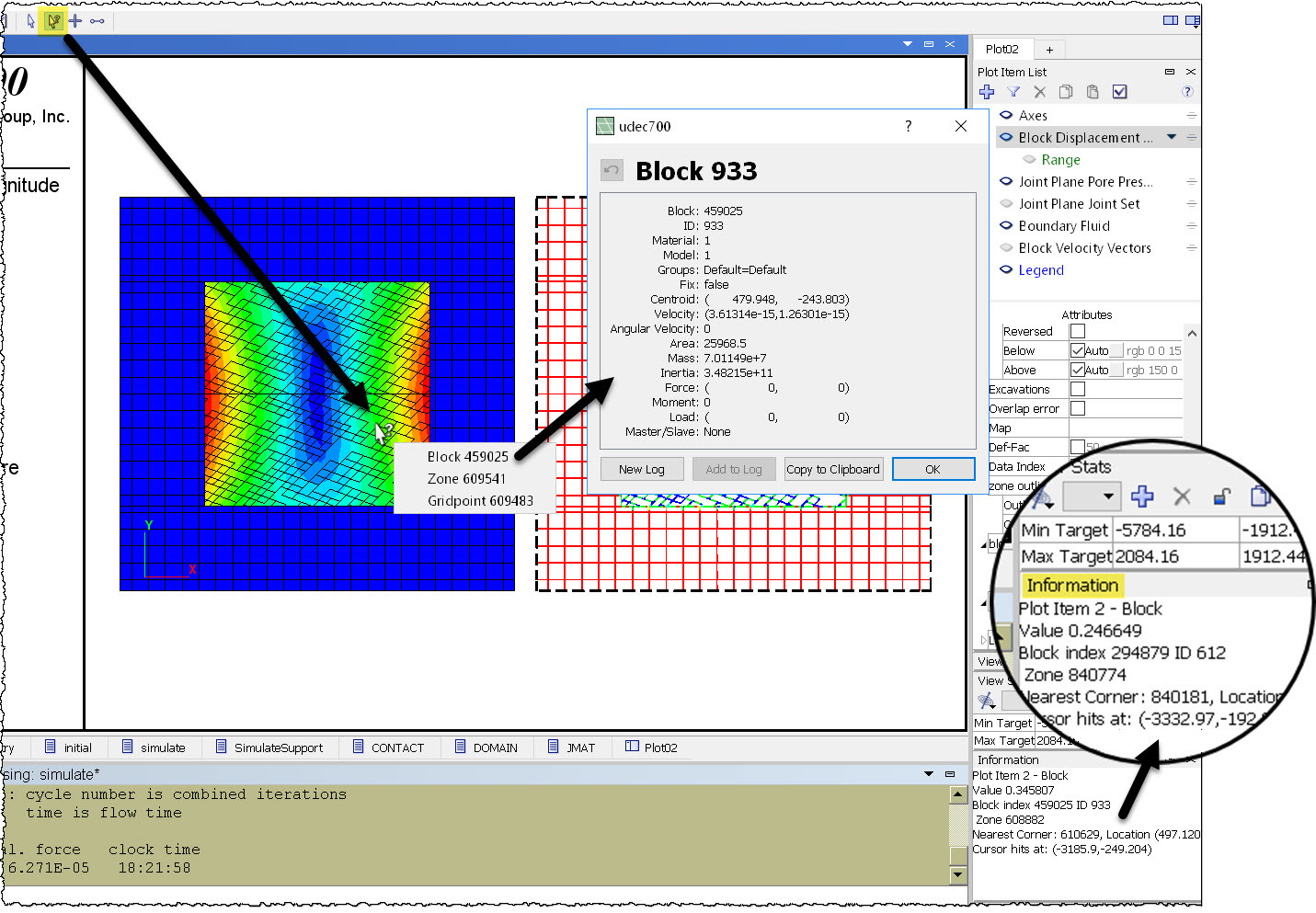
As shown in the magnification bubble in the screen capture above, even when query mode is not active, the mouse cursor constantly relays general model information based on its position and nearby objects.
Keep Track of your Model
The track command is used to track blocks, zones, and grid points. Show positions over time using the particle tracking plot item.
More Information
- Up to 128 extra variables are now available for all objects (blocks, zones, grid points, structural elements, contacts, etc.).
- The group logic is the tool used to categorize model objects. Up to 128 different slot names can now be assigned to each group. A slot can be thought of as an independent container of groups. Using the group logic, one can imagine creating slots named "stage1," "stage2," etc., corresponding to each stage of an excavation. Within "stage1" of the excavation, there could be objects belonging to the groups "first," "second," etc. This gives the user a way to remove the first, second, etc., parts of the model in stage1, and the first, second, etc., parts of the model in stage2, and so on.
- Know exactly what's happening in your model, even when solving, with the FISH Global Symbols Control Set (see above).
- Added failure states for all contact (joint) constitutive models (e.g., failed tension now, failed shear past).
- Added command to display contact failure state and contact model.
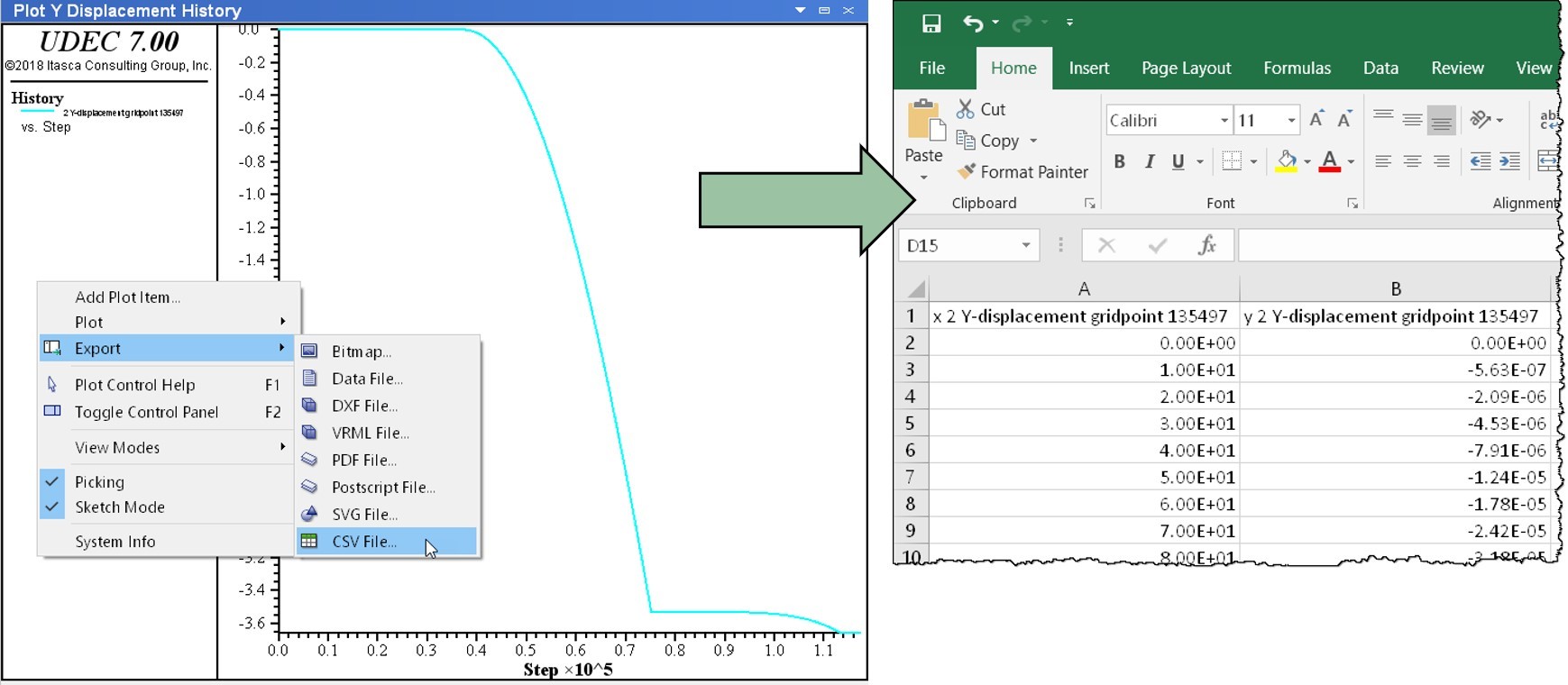
- Quickly export chart and table data to CSV files for use with spreadsheet software.